◫
Every window, one view
Claude Code and Codex limits together, with reset times and the age of each reading.
YOUR AI CODING CONTROL ROOM
AI Liveboard watches your Claude Code and Codex usage, shows where each limit is headed, and warns before extra usage catches you off guard.
Apple Silicon Mac · Signed and notarized · Private beta
YOUR LIMITS AT A GLANCE
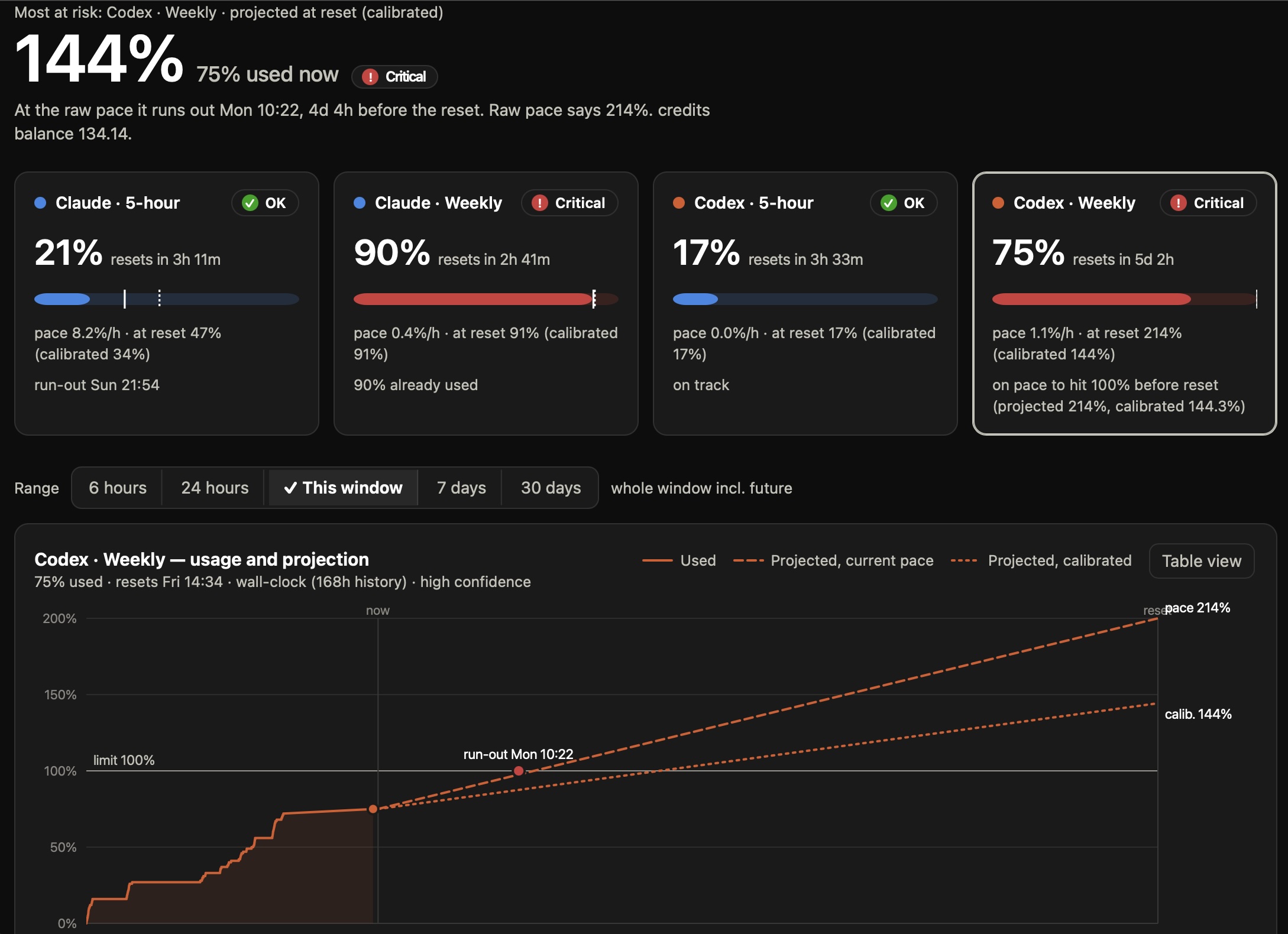
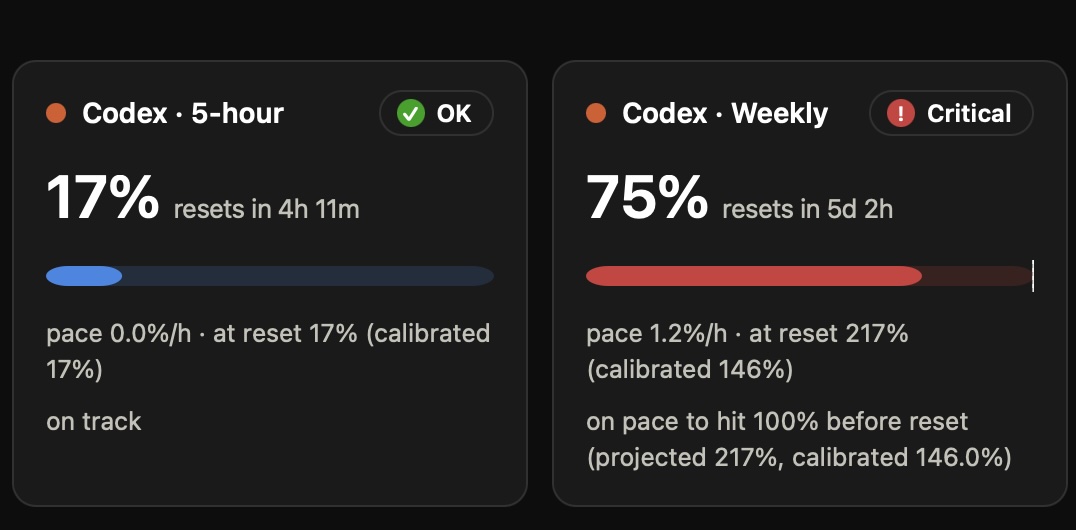
On pace to reach your limit before reset
5-hour window
Weekly window
A CLEARER PICTURE
The number on a usage meter is only part of the story. AI Liveboard helps you see what happens next.
Claude Code and Codex limits together, with reset times and the age of each reading.
See your pace, projected usage at reset, and when a limit may arrive.
Warnings and an optional limit guard help you decide when to slow or stop.
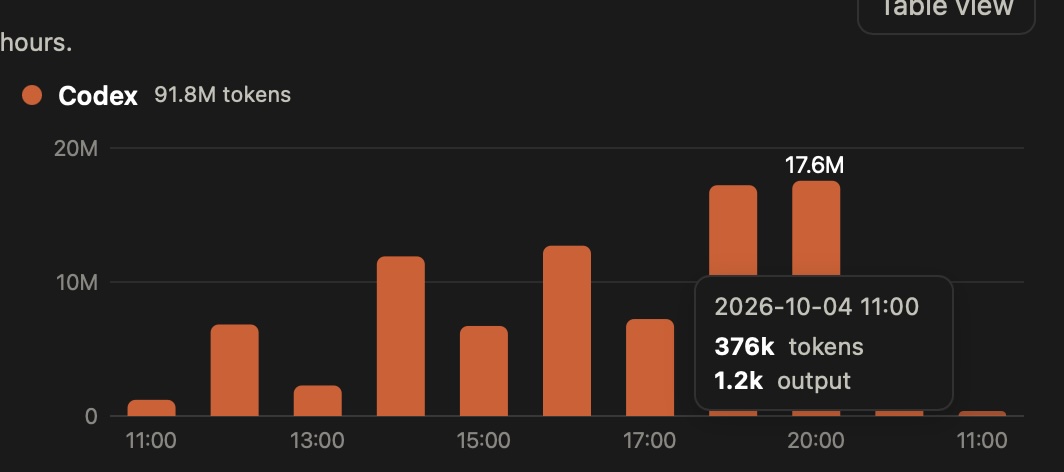
See extra usage and credit runway alongside the limits driving them.
INSIDE THE APP
Actual captures from a development build. Your usage and forecasts will be different.
CLAUDE CODE · 5-HOUR WINDOW
At your current pace, this window may run out before it resets.
BEFORE THE BILL
Know when your work is headed toward a limit. Install the optional guard to pause new agent steps near the edge, with a visible override when you want to continue.
The guard cannot interrupt a step already running. If readings are stale, it allows work to continue.
YOUR MACHINE, YOUR CALL
AI Liveboard collects usage on your Mac. Online checks and phone sync are choices you make in the app.
MAC BETA · VERSION 0.1.0
Download the signed, notarized AI Liveboard disk image. Open it, drag the app to Applications, then launch it from there. AI Liveboard lives in your menu bar.
SHA-256 14e4f037de79abe8bd92bfb79c5a9678e814105e7701c7bb46a3663c6b8aec70